Welcome to mySD Hub Resource Center
mySD Hub was created to provide participants/members and case managers information on participant/member usage as well as to give service providers an opportunity to list their services available to members.
These resources are designed to help users feel confident using mySD Hub.
Below you will find step-by-step guides and short videos you can watch at your own pace or return to if you need help.
Customer Support
Email:
mySDHub@LoriKnappChoice.com
Phone:
855.534.7225
Participant/Member Resources
Service Provider Resources
Go to mySD Hub (hub.loriknappchoice.com)
Participant/Member Resources
mySD Hub Overview
Get familiar with the main features of mySD Hub and how to navigate the portal.
What you’ll learn:
- How to use the dashboard
- How to view services and usage
- How to see caregivers and vendors
- How often information is updated

VIDEO
mySD Hub Participant/Member Training Webinar
Learn all about mySD Hub and how it can help you manage your supports and services.
What you’ll learn:
- What is a service and how it is used
- How to use the dashboard
- How to view services and usage
- How to register your account
VIDEO
How to Create Your Account
Learn how to register for mySD Hub and connect your account.
What you’ll learn:
- How to create your login
- How to verify your email
- How to connect to the participant’s/member’s account

VIDEO
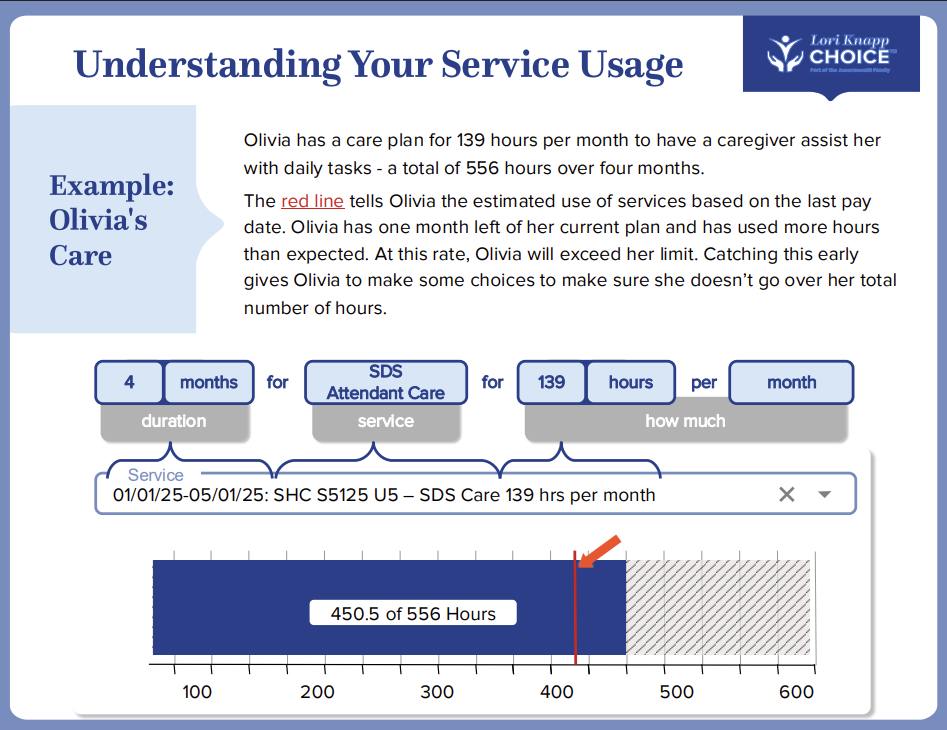
Tracking Your Services
This resource helps you understand how to track your services and stay within your approved budget.
What you’ll learn:
- How to read service authorizations
- How to understand usage and remaining units
- How tracking helps you make informed decisions
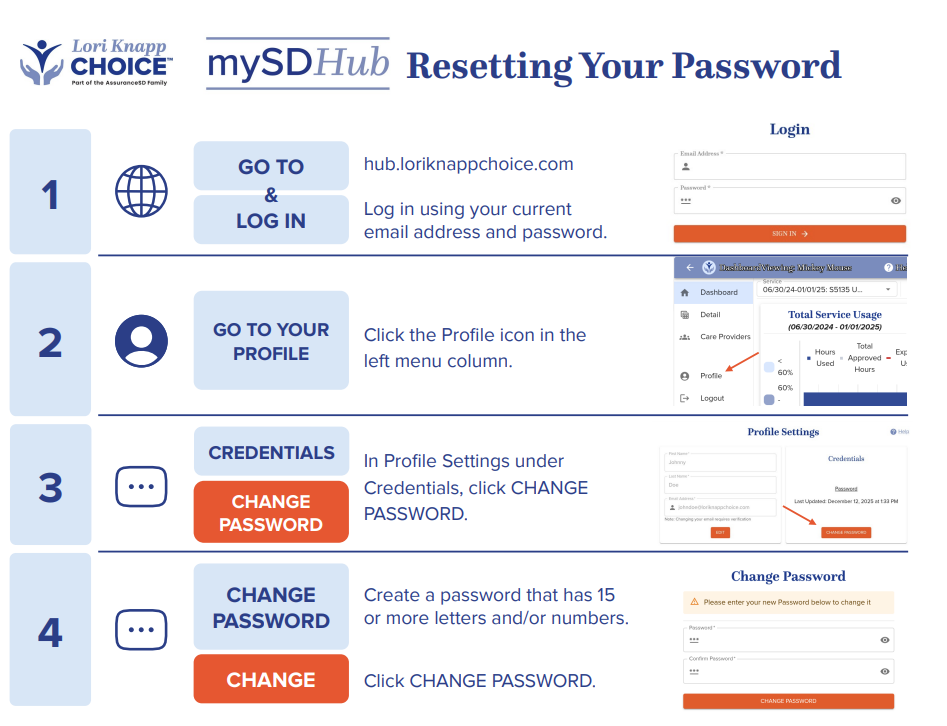
How to Reset Your Password
Forgot your password? These resources walk you through how to reset it safely.
What you’ll learn:
- How to request a password reset
- How to create a new password
- Tips for keeping your account secure
Video
Service Provider Resources
mySD Hub Overview
Get familiar with the registration process of mySD Hub and how to navigate the website.
What you’ll learn:
- How to register to be listed on the Provider Directory
- How to keep your information up do date
- How to navigate mySD Hub

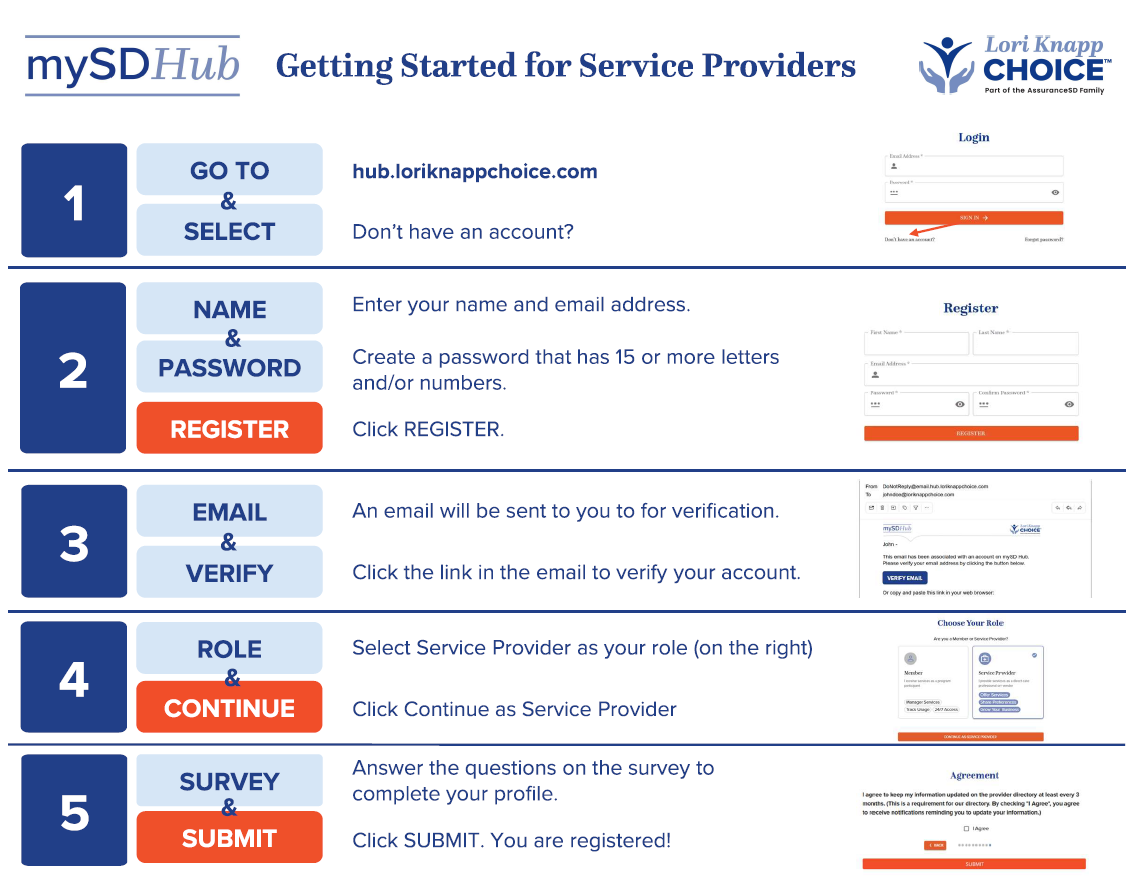
How to Create Your Account
Learn how to register and provide information on your services.
What you’ll learn:
- How to create your login
- How to verify your email
- How to register your services
How to Reset Your Password
Forgot your password? These resources walk you through how to reset it safely.
What you’ll learn:
- How to request a password reset
- How to create a new password
- Tips for keeping your account secure